Picture this. Your quarterly NPS results just landed. They are flat. Again. The survey says customers are satisfied. Yet your support queue is backing up, churn is ticking upward, and the exec team is asking questions you cannot answer.
The data is not the problem. The problem is that the right data has never been read.
Every week, thousands of customers tell your brand exactly what is broken. It is in the chat transcripts, support emails, call recordings, and review threads. Most of that goes unread. Text analysis is what changes that.
According to Gartner, 80% to 90% of all new enterprise data is unstructured, and most of it is never analyzed. (Gartner). For CX leaders, that statistic is not an abstract IT problem. It is a description of your support tickets, your chat logs, and your call recordings, sitting unread while you make decisions based on the 7% of customers who responded to your last survey.
This discipline is also the foundation of VoC 2.0: the next generation of customer intelligence built not on running better surveys, but on analyzing the conversations that are already happening, at scale, across every channel your customers use.
This guide covers what text analysis is, how it works, the techniques that matter most for CX teams, and a practical path to getting started.
Table of Contents
What Is Text Analysis?
How Does Text Analysis Work?
Key Text Analysis Methods and Techniques
Text Analysis Use Cases in CX and Business
Text Analysis vs Text Mining: What Is the Difference?
How to Get Started With Text Analysis
In Summary
FAQs

What Is Text Analysis?
Text analysis (also called text analytics) is the process of extracting structured meaning from unstructured text data using computational methods, including natural language processing (NLP) and machine learning. It enables organizations to identify patterns, themes, sentiment, and intent across large volumes of text, from customer support tickets and chat logs to survey responses and online reviews, at a scale no human team could manage manually.
That definition is precise, but what it means for your team is simpler: this capability lets you read everything your customers write, not just the fraction a human analyst gets to.
The volume problem is severe. A mid-sized contact center might handle tens of thousands of customer interactions per month. A survey program might capture a few hundred responses per cycle. The ratio is not close. Unread feedback means missed warning signs: complaint themes building in the background, product issues that only surface as crises, agent behaviors that correlate with churn and never get flagged. Processing the full dataset, not a sample, is what closes that gap.
The competitive angle matters too. A CX team that analyzes 100% of its customer text data operates with a fundamentally different level of intelligence than one relying on sampled surveys. The former spots emerging issues in days. The latter might not find out until the next quarterly review. That gap drives revenue decisions, blind spots in the customer experience, and an inability to attribute revenue impact to CX improvements with any confidence.
This is the core idea behind VoC 2.0, which relies on AI-powered analysis of support conversations. Most CX programs capture roughly 7% of total customer sentiment through surveys. The other 93% lives in conversations: support calls, chat logs, emails, and review threads. Getting at that 93% requires more than better survey design.
How Does Text Analysis Work?
The process turns raw language into structured, actionable data through a series of steps. Each step builds on the last, taking messy, inconsistent human language and transforming it into the kind of organized signal a CX leader can act on.
Step 1: Data Ingestion
Everything starts with collecting raw, unstructured text from wherever your customers are communicating. In a CX context, that means support tickets, chat transcripts, call recordings (transcribed to text), survey open-ends, emails, app store reviews, and social comments. Modern platforms can ingest data from multiple channels simultaneously, which matters because customer issues rarely stay in one channel.
Step 2: Preprocessing and Cleaning
Before analysis can happen, the text needs to be cleaned and normalized. This involves tokenization (splitting text into words or meaningful phrases), stop-word removal (filtering out common words like “the” and “is” that carry no analytical signal), stemming or lemmatization (reducing words to their root forms so “cancellation” and “cancelled” map to the same concept), and handling of abbreviations and informal language. This step is unseen but critical. Garbage in, garbage out.
Step 3: Natural Language Processing (NLP)
Natural language processing (NLP) is the computational layer that enables machines to understand the structure of human language, including grammar, syntax, and context-dependent meaning. It is the engine that distinguishes between “the app crashed” and “the app is a crash hit.” Without NLP, a system might treat both as negative feedback about the app. With it, the system understands that one is a bug report and one is a compliment.
Step 4: Pattern Recognition and Classification
With the text cleaned and linguistically understood, machine learning models analyze it for patterns. Models assign sentiment labels (positive, negative, neutral), identify named entities such as product names or account numbers, extract recurring topics and themes, and detect customer intent. Classification is what lets a system organize raw text into structured categories at scale, turning thousands of individual interactions into a coherent picture.
Step 5: Output and Visualization
Structured outputs are generated: dashboards, topic clusters, trend charts, sentiment scores, and automated alerts. This is the stage where raw language becomes intelligence a CX leader can act on. A spike in a billing error topic cluster. A drop in sentiment in a specific product category. An agent whose call patterns correlate with higher rates of repeat contacts. These are the outputs that drive decisions.

Key Text Analysis Methods and Techniques
Each technique addresses a different dimension of understanding language. Used together, they give a CX team a complete picture of what customers are communicating and why it matters.
Sentiment Analysis
Sentiment analysis determines whether a piece of text expresses a positive, negative, or neutral tone. More advanced models can detect specific emotions, such as frustration, satisfaction, or urgency, and measure their intensity. In a CX context, this means automatically flagging transcripts where customer frustration is escalating so supervisors can intervene in near-real-time, rather than discovering the issue days later during a manual QA review.
Topic Modeling
Topic modeling identifies recurring themes across a large volume of text without requiring manual tagging. Using unsupervised learning, the system discovers what customers are actually talking about by finding clusters of related terms across thousands of interactions. The CX application is direct: discovering that a spike in support contacts is driven by a single recurring issue, such as login failures after an app update, before your QA team spots it through sampling.
Named Entity Recognition (NER)
Named entity recognition (NER) is the extraction of specific named items from text: product names, locations, dates, people, account numbers, competitor mentions. It enables automatic tagging of every mention of a specific product feature across thousands of chat logs, making cross-channel product feedback analysis possible without anyone manually reading the transcripts.
Text Classification
Text classification assigns predefined categories to a piece of text. In text classification determines what the customer is trying to accomplish. Urgency classification flags interactions that need immediate attention. Routing classification determines which team is best placed to handle the request. In practice, this means automatically triaging inbound support contacts by predefined reason complexity so the right agents get the right tickets.
Keyword Extraction and Term Frequency
Keyword extraction identifies the most significant terms in a document or corpus, often using statistical methods like TF-IDF (term frequency-inverse document frequency), which weights terms based on how often they appear relative to their frequency across all documents. Unlike topic modeling, which infers themes, this approach surfaces the explicit words customers are using. A practical application: identifying which product terms appear most frequently in one-star reviews versus five-star reviews to surface the specific language that drives dissatisfaction.
Relationship Extraction
Relationship extraction identifies how entities relate to each other within a piece of text. It is not just recognizing that an agent name and a customer emotion both appear in a transcript. It is understanding that the agent behavior preceded the emotion. For CX teams, this enables coaching decisions grounded in data: identifying which specific agent behaviors are statistically linked to customer frustration, rather than relying on supervisor intuition during a 2% call sample.

Text Analysis Use Cases in CX and Business
The techniques above are the engine. The use cases are where that engine produces value. Here are the six most important applications for CX and support teams.
Voice of Customer (VoC) Analysis at Scale
Most VoC programs are built around surveys. That means they capture data from the customers who chose to respond, on the cadence the program allows, across the channels the program covers. Applying text analysis to the full conversation record changes all of that. Support calls, chat logs, emails, and review threads carry the same signal as surveys, often with more specificity, from a far larger proportion of your customers.
Platforms like Kapiche are built specifically for this use case, analyzing 100% of customer conversations across calls and other channels with AI using conversation intelligence, rather than relying on the 7% captured in survey samples. The result is faster issue detection, richer insight, and a VoC program that does not have to wait for the next survey cycle to find out what customers think.
Contact Center Quality Assurance (QA)
Manual QA in contact centers typically samples between 1% and 5% of interactions. That means up to 99% of agent interactions are never reviewed. Applying this capability to transcribed call recordings enables 100% QA coverage, automatically scoring agent performance against defined criteria at scale and supporting comprehensive call center analytics across interactions and operations. The business outcome is consistent quality standards, faster coaching loops, and earlier detection of systemic issues before they affect a large portion of your customer base, especially when powered by dedicated conversation analytics software. Kapiche’s AI-powered QA surfaces coaching priorities across every interaction, not just the ones a supervisor happened to pull for review.
Product and Feature Feedback
Support conversations are a rich, continuous source of customer feedback to drive growth and product intelligence. Customers describe bugs in their own words, ask for features they cannot find, and compare your product to alternatives, every day, in your support queue. Automated extraction of product mentions, feature requests, and bug reports from thousands of customer interactions per week shortens the feedback loop between what customers experience and what the product team prioritizes, without requiring a dedicated research program, especially when using customer feedback analysis software built for VoC teams.
Churn Prediction and Early Warning
Certain language patterns in customer conversations correlate with churn risk: frustration signals, competitor comparisons, expressions of unresolved issues, references to cancellation intent. Applied predictively, these signals can flag at-risk customers based on the language they are using in support interactions before they cancel. Research from customer retention programs has identified a 5% increase in customer retention to profit increases of 25% to 95%. Detecting churn signals in conversation data, days or weeks before a customer acts on them, is one of the most direct paths to improving those numbers.
Competitive Intelligence
Customer conversations frequently include competitor mentions. "I used to use X and it never had this problem." "Your competitor offers this feature for free." These references can be systematically extracted, categorized by sentiment and context, and surfaced as trends over time, giving CX and product teams an ongoing competitive signal derived from actual customer language. Far more granular and timely than anything a market research survey could produce.
Brand Health and Reputation Monitoring
Applied to review platforms, social mentions, and open-ended survey responses, these methods provide a real-time sentiment signal across customer-facing channels when powered by advanced customer experience platforms. The contrast with traditional brand tracking is stark: quarterly surveys versus always-on analysis, expensive research programs versus automated monitoring, delayed reporting versus near-real-time alerts. For CX leaders accountable to brand perception metrics alongside operational ones, centralizing Voice of Customer insights in a unified platform means a live read on how your brand is landing, not a snapshot from three months ago.

Text Analysis vs Text Mining: What Is the Difference?
Text mining and text analysis are closely related and often used interchangeably in the market. The distinction is real but subtle. Text mining is the broader discipline: the process of discovering patterns and extracting information from large collections of text. It shares roots with data mining and tends to focus on the extraction and discovery layer, finding structure in raw text data.
The applied, business-outcome layer of text analysis is where text analysis sits. This is where sentiment is assigned, themes are classified, intent is detected, and relationships are surfaced. In practice, most modern platforms perform both functions as part of a single integrated workflow.
A third term, text analytics, is commonly used to describe the end-to-end function including visualization, reporting, and the business intelligence layer. If you encounter all three terms in vendor conversations, they are describing overlapping capabilities rather than fundamentally different products. The meaningful question is not which term a vendor uses, but what percentage of your conversation data their platform actually analyzes, and whether it can analyze 100% of interactions in real time versus survey-centric tools.

How to Get Started With Text Analysis
Understanding the discipline is the easy part. Implementing it in a way that drives measurable business outcomes and clearly measuring the financial impact of CX is where most CX teams stall. These seven steps are a practical path from zero to running.
Identify Your Highest-Value Text Data Sources
Before selecting a tool, map where your most valuable customer language lives. For most CX teams, that means relying on humans to read and categorize written content manually, this approach automates that process at scale, working across thousands or millions of data points simultaneously. The output is structured intelligence: themes, sentiment scores, entity tags, intent labels, and trend signals that can be acted on. In a business context, it is applied to customer support tickets, call transcripts, chat logs, survey open-ends, online reviews, and emails. The goal is to move from raw language to insight, faster and more comprehensively than manual review allows.
Define the Business Questions You Need to Answer
Analysis without a question is just noise. Define your analytical goals clearly before you start. Are you trying to reduce churn? Improve first contact resolution (FCR)? Identify emerging product issues? Reduce manual QA overhead? Your questions determine which methods matter most and what outputs you actually need.
Choose Between Build vs Buy
In-house NLP development requires significant data science resources and ongoing model maintenance. For most CX teams, selecting a solution from among leading conversation intelligence platforms is a purpose-built path that is faster to value. When evaluating options, focus on four criteria: coverage (do they analyze 100% of interactions or a sample?), channel breadth, integration with your existing stack, and model quality on CX-specific content rather than general NLP benchmarks. Purpose-built platforms like Kapiche’s AI-driven CX insights platform are designed for business users rather than data science teams, which means the outputs are business-ready dashboards and theme reports, not raw model outputs that require interpretation.
Integrate Your Data Sources
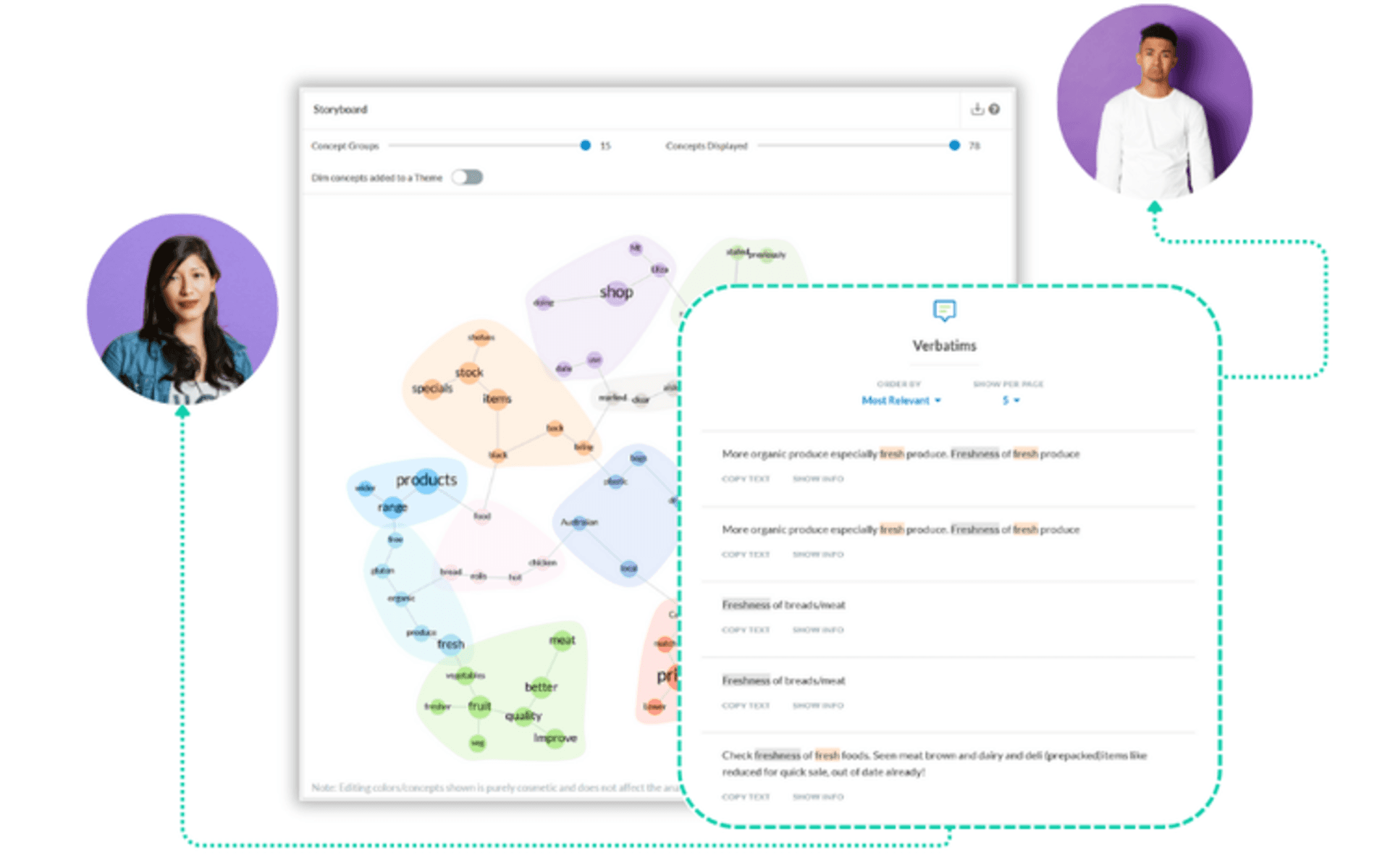
Connect your text data channels to your chosen platform. The most effective deployments unify multiple sources into a single analytical view, effectively functioning as a contact center intelligence layer across channels. Kapiche, for example, connects support calls (transcribed), chat logs, and survey open-ends in a single platform, so you can see that a surge in billing-related chat volume is correlated with a rise in negative sentiment in post-call surveys in the same week. That cross-channel view is what makes this a strategic asset rather than a reporting tool.
Define Your Taxonomy and Theme Structure
Work with your platform and your team to define the taxonomy that matters for your business: the categories, themes, and attributes you want the system to track. Some platforms surface themes automatically using unsupervised learning. Others allow custom classification models. Both have trade-offs. What matters is that the output maps to how your business actually reports on CX performance.
Build Reporting Into Your Existing Workflows
Insights only drive value when they are visible and acted on. Build agent performance dashboards and alerts that integrate into the workflows your team already uses: weekly QA reviews, executive CX reports, product sprint planning, agent coaching sessions. Insights that live in a separate tool that no one checks consistently do not change behavior.
Measure, Iterate, and Scale
Start with one data source and one analytical question. Prove the value, then expand coverage. Track how insights are informing decisions and, where possible, connect those decisions to measurable outcomes: churn improvement, FCR uplift, CSAT improvement, supported by customer feedback reporting best practices. The teams that get the most from this approach treat it as a continuous program, not a one-time implementation.