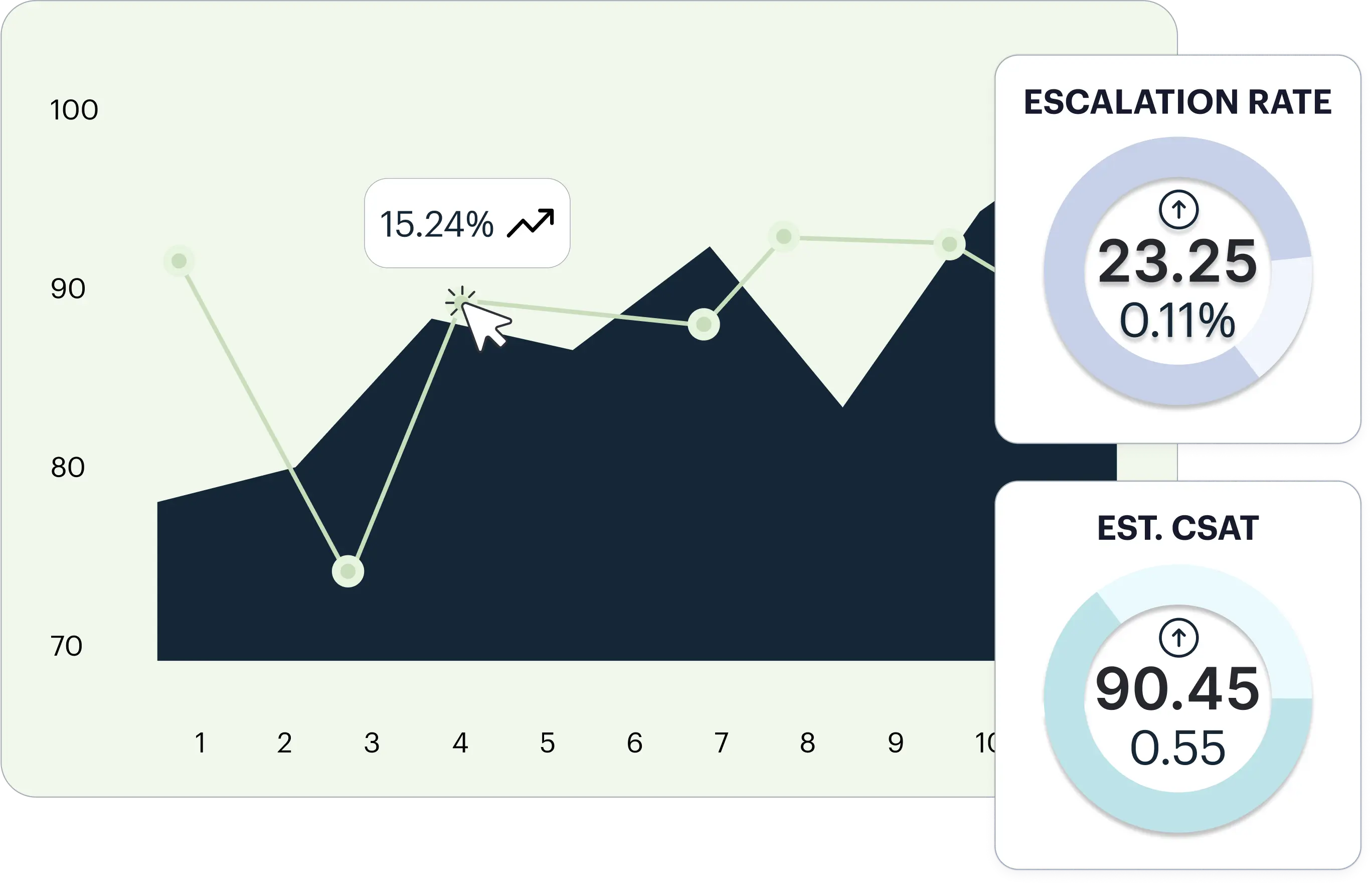
Does this pattern sound familiar? A product issue starts causing problems in early February. Customers are frustrated. They’re calling. They’re emailing. Some of them are quietly deciding not to renew.
You find out in March. When the NPS survey results come back.
By then, the damage is done. You’ve lost customers who gave you every signal they were leaving in conversations you never had visibility into. Your survey captured a fraction of the picture. The rest was invisible.
This is the reality for most CX leaders today. You’re working from 7% of your customer data and making decisions that affect 100% of your customer base. The other 93% of what customers are telling you lives in support calls, chat logs, email threads, and transcripts that sit unanalyzed in your systems.
Text analysis software closes that gap. Whether you are analyzing support tickets, survey responses, or call transcripts at scale, the right tool transforms every customer conversation into intelligence you can act on, before the survey results land, not after. This guide covers 11 of the best text analysis software and text analytics tools available in 2026, what they are actually good at, and how to choose the right one for your team.
What is Text Analysis Software?
Text analysis software is a category of tools that use computational methods to extract meaning, patterns, and insights from unstructured text data. Put simply: you feed it text, and it tells you what is actually going on inside it.
Text analytics software sits under the same umbrella. The terms are often used interchangeably, though text analytics tends to emphasize the quantitative outputs, like counts, frequencies, and trend lines, while text analysis covers the broader process of understanding what text means and why it matters.
These tools process textual data from sources like customer reviews, support tickets, survey responses, social media posts, call transcripts, emails, and chat logs. They identify themes, detect sentiment, extract entities, and surface recurring topics that would take a human analyst weeks to find manually.
How Does Text Analysis Work?
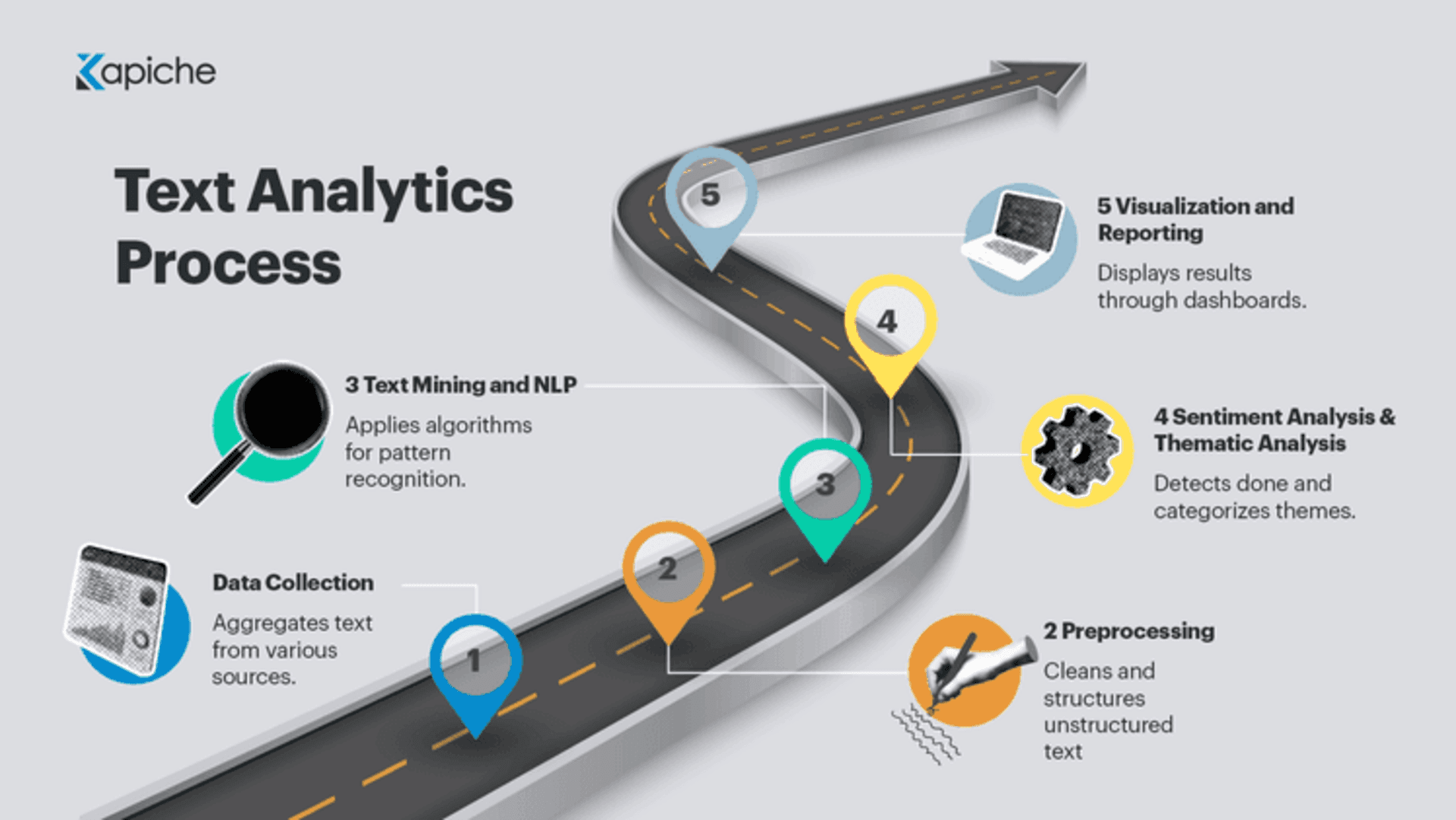
Modern text analysis tools use a combination of natural language processing (NLP), machine learning, and statistical models to break down unstructured text into structured, queryable signals. Here is the typical process:
Ingestion: Raw text data is collected from one or more data sources, whether that is a csv uploads, a Zendesk integration, or a voice transcription feed.
Preprocessing: The text is cleaned and normalized. Stop words are removed, punctuation is handled, and variations of the same word are unified.
Parsing: NLP algorithms break down sentence structure to understand context and meaning, not just keywords.
Classification: Machine learning models or rules-based systems assign labels, themes, sentiment scores, and entity tags to each piece of text.
Analysis: Patterns are aggregated, trended over time, and surfaced in dashboards, reports, or graphs for the end user.
The best modern tools handle all of this automatically, with no manual category setup, no data science team required, and no waiting weeks for results.
Types of Text Analysis Tools
Not all text analytics tools are the same. Understanding the main categories helps you match the right tool to your actual use case.
1. Natural Language Processing (NLP) Tools
NLP tools go far beyond keyword matching. They understand sentence structure, grammatical context, and the meaning behind words, including when that meaning is implicit. A well-built NLP tool recognizes that a customer saying “I had to call three times before anyone helped me” is frustrated, even if the word “frustrated” never appears. Most modern NLP tools also handle negations, which matters when your customer base crosses borders. For CX teams, NLP tools that operate without deep technical expertise are the most practical option, since you need insights, not a PhD to configure the system.
2. Sentiment Analysis Tools
Sentiment analysis tools classify text as positive, negative, or neutral, but the best ones go much further. Advanced sentiment analysis tools detect mixed sentiment within the same response, for example a customer who loved the product but found the shipping process infuriating. They also measure intensity (mildly annoyed versus absolutely furious) and track sentiment trends over time. For CX leaders, this means you can watch in near-real time whether negative tone is spiking around issue areas or fix a dip in your NPS scores before that drop even hits the survey results.
3. Text Mining Software
Text mining software is the broader engine underneath tools like sentiment analysis and topic modeling. It extracts patterns, relationships, and structured knowledge from unstructured data at scale. Text mining tools are commonly used for market research, support ticket triage, content analysis, and synthesizing large volumes of qualitative data into actionable summaries. Think of text mining as the infrastructure layer that more specialized analysis sits on top of.
4. Machine Learning Text Analysis Tools
Unlike rules-based tools that require humans to manually define categories upfront, machine learning text analysis tools learn from data and improve over time. They surface themes, patterns, and anomalies without needing someone to predict every possible topic in advance. This is a significant advantage for CX analytics, where new customer issues emerge constantly and you cannot afford to only catch the things you already anticipated. The best CX text analytics tools use ML to automatically detect what customers are talking about, letting the data shape the categories rather than forcing the data into a predetermined taxonomy. Kapiche operates on this model, meaning emerging issues surface automatically rather than waiting for a human to decide a new tag.
5. AI-Powered Customer Feedback Analytics
This is the next evolution beyond generic text mining and text analytics software. AI-powered customer feedback analytics platforms go beyond built-for-CX and support teams. They combine NLP, machine learning, and conversation intelligence into a single system that does not just classify text, it connects feedback directly to business outcomes like churn, CSAT, NPS, and first contact resolution. These tools analyze 100% of customer interactions across surveys, support calls, chat, email, and reviews, not a sampled slice. The outputs are not raw data dumps. They are actionable intelligence designed for CX leaders, not data scientists. This is the category Kapiche leads.
11 Best Text Mining and Text Analytics Software in 2026
Here is an overview of the best text analysis tools on the market, highlighting their key features, use cases, and benefits:
1. Kapiche: AI-Powered Conversation Intelligence for CX and Support Teams
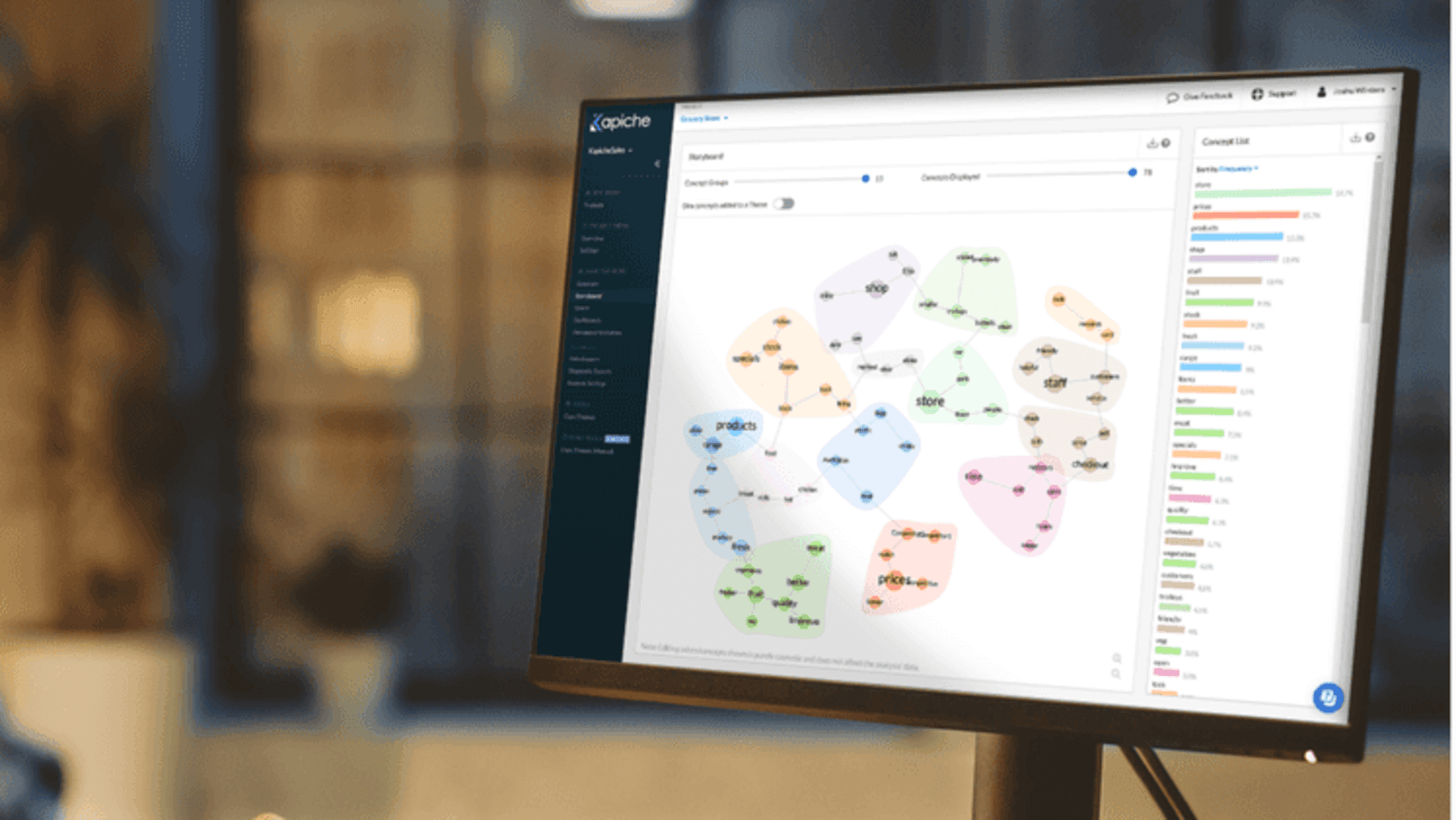
Kapiche is not a generic text mining tool that CX teams have adapted for their use. It is built from the ground up for CX and Support leaders who need to understand what 100% of their customers are saying, not just the 7% who respond to a survey.
At the core of Kapiche is a proprietary AI Enrichment and Normalization Layer. This is not a feature set. It is a fundamentally different data model. Every conversation, whether it arrives as a support ticket, a call transcript, a chat log, an email, or a survey response, is automatically transformed into consistent, structured intelligence with enriched fields attached: reason for contact, estimated CSAT score, churn risk signal, journey segment, and agent behavior flags. No manual tagging. No taxonomy to maintain. No data science team required to run it.
This matters because competitors in this space either require you to define your categories upfront or they analyze a sample of your data and extrapolate. Kapiche does neither. The AI surfaces themes from the data itself, and it covers 100% of your conversations from day one. Traditional voice of customer programs rely on post-transaction surveys that typically capture around 7% of total customer sentiment. The other 93% lives in unstructured conversations that survey-based tools simply cannot reach. Kapiche closes that gap by treating every conversation as a data point.
The outcomes are concrete. Jeanine Whalley, Head of Research and Insights at Village Roadshow, put it this way: Kapiche gave them next-level insights and things that knowledgeable, proactive support from their Customer Care team was key to driving NPS. With those insights, they realigned their Support teams by brand and customer type, enabling them to prioritize effectively and achieve a significantly higher NPS. That is the difference between a dashboard and a decision.
If a new problem starts appearing in customer calls, Kapiche identifies it before it reaches critical volume. CX teams can connect conversation data directly to CSAT, NPS, churn rate, and first contact resolution, giving insights into the business context that make them worth acting on.
Key features:
100% conversation coverage across surveys, support calls, chat, email, and reviews in a single view
Proprietary AI Enrichment and Normalization Layer with advanced features that automatically enriches and organizes customer conversations, generating reasons for contact, estimated CSAT, churn risk signals, journey segments, and agent behavior flags
AI auto-theme detection that surfaces emerging issues without any manual category setup
AI-powered estimated CSAT for every interaction, including conversations with no survey response
Cross-channel unified intelligence view across all feedback data sources
No data science team required: CX and Support leaders operate the platform directly
Best fit:
CX and Support leaders who are done making strategic decisions on 7% of their customer data. If you need 100% conversation coverage, automatic theme detection, and insights that connect directly to churn, NPS, and CSAT without needing a data science team to get there, Kapiche is built for you.
2. Qualtrics XM: Enterprise Experience Management with Text Analytics
Qualtrics is one of the most recognized names in experience management. Its text analytics capabilities are built into the broader XM Platform, which handles surveys, customer experience, employee experience, and product research. For enterprises already invested in the Qualtrics ecosystem, the text analysis functionality is a natural extension.
Qualtrics uses NLP and machine learning to perform sentiment analysis, topic categorization, and entity recognition across survey responses and other text data. It supports multiple languages and integrates with a wide range of data sources. The platform is powerful, but it tends to be survey-centric by design. Teams whose primary text data sources are conversations, like call transcripts and support tickets, may find the platform requires more configuration to deliver the insights they need.
Key features:
Text IQ: built-in NLP engine for sentiment analysis and topic categorization
Multi-language support across a broad range of languages
Integration with Qualtrics survey and feedback data pipelines
Entity recognition and key driver analysis
Intuitive dashboards for survey and feedback analysis
Real-time processing for near-instant feedback monitoring
Visualization tools and dashboard reporting
Best fit:
Enterprises already using Qualtrics for survey-based VoC programs who want to add text analysis to their existing feedback workflow. If your primary insight source is already conversational data, support tickets, or call transcripts at volume, you will likely need a tool built specifically for that use case.
3. Medallia: Enterprise VoC with Integrated Text Analytics
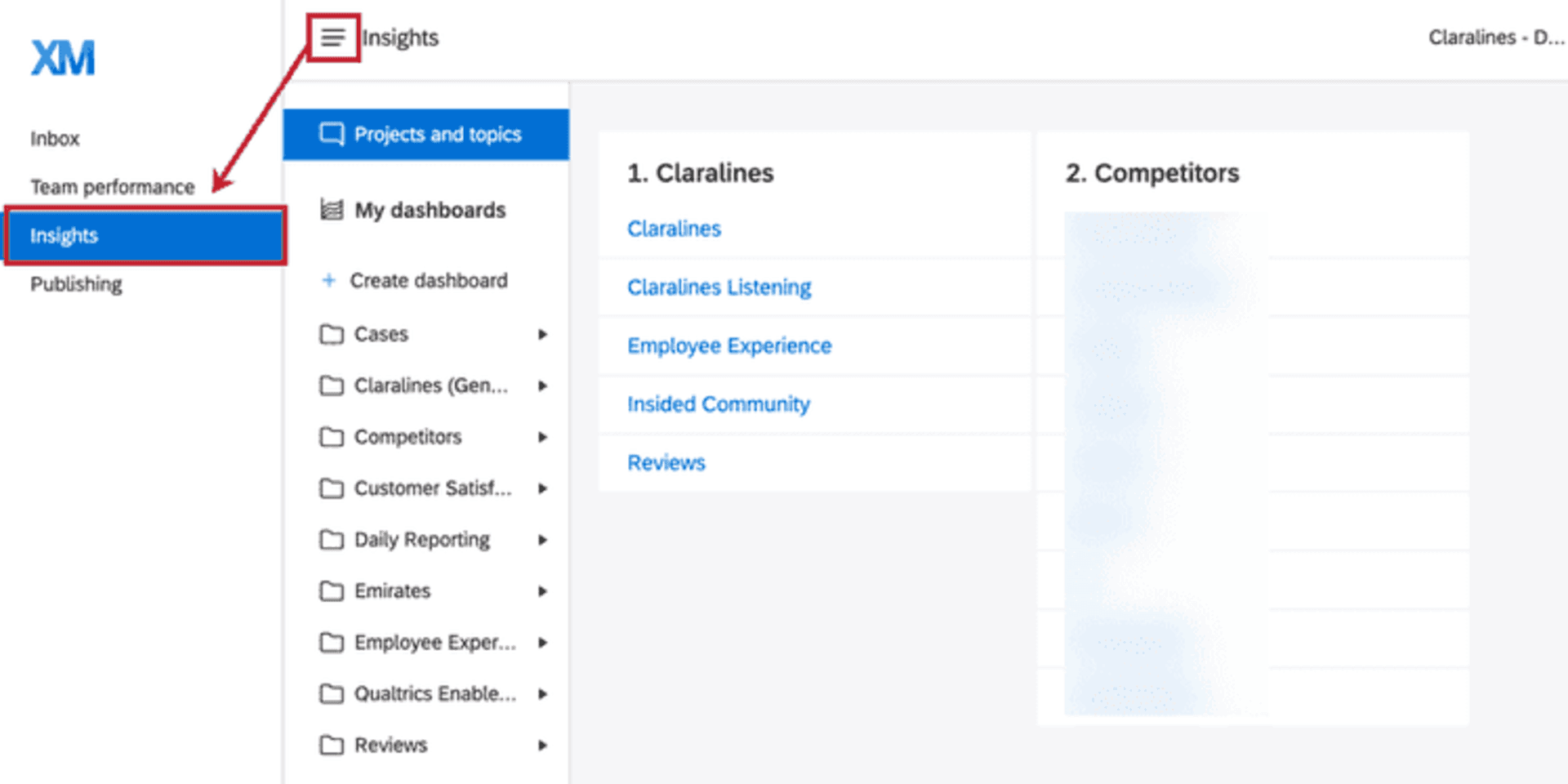
Medallia is an enterprise customer and employee experience platform with integrated text analytics capabilities, including the NLP and machine learning technology it acquired from MonkeyLearn in 2022. The platform processes structured and unstructured feedback from surveys, digital channels, and contact center interactions.
Medallia’s text analytics is built to serve large organizations managing high-volume feedback across multiple business units. Its AI-powered sentiment analysis and theme detection work across the channels Medallia ingests, though the platform is tightly coupled with Medallia’s broader product suite. Organizations evaluating Medallia should assess whether the standalone text analytics functionality or the full platform investment makes sense for their current stage.
Key features:
AI-powered text analytics with sentiment analysis and theme detection
NLP capabilities integrated from MonkeyLearn acquisition
Multi-channel feedback ingestion including digital, survey, and contact center data
Enterprise-grade reporting and executive dashboards
Integration with Medallia’s broader experience management platform
Best fit:
Large enterprises where the full Medallia platform investment is already justified across multiple business units. If you are evaluating text analytics as a standalone capability or need a platform that operates independently of a larger enterprise suite, the pricing and implementation complexity may not be the right fit.
4) Chattermill: Unified Customer Feedback Analytics
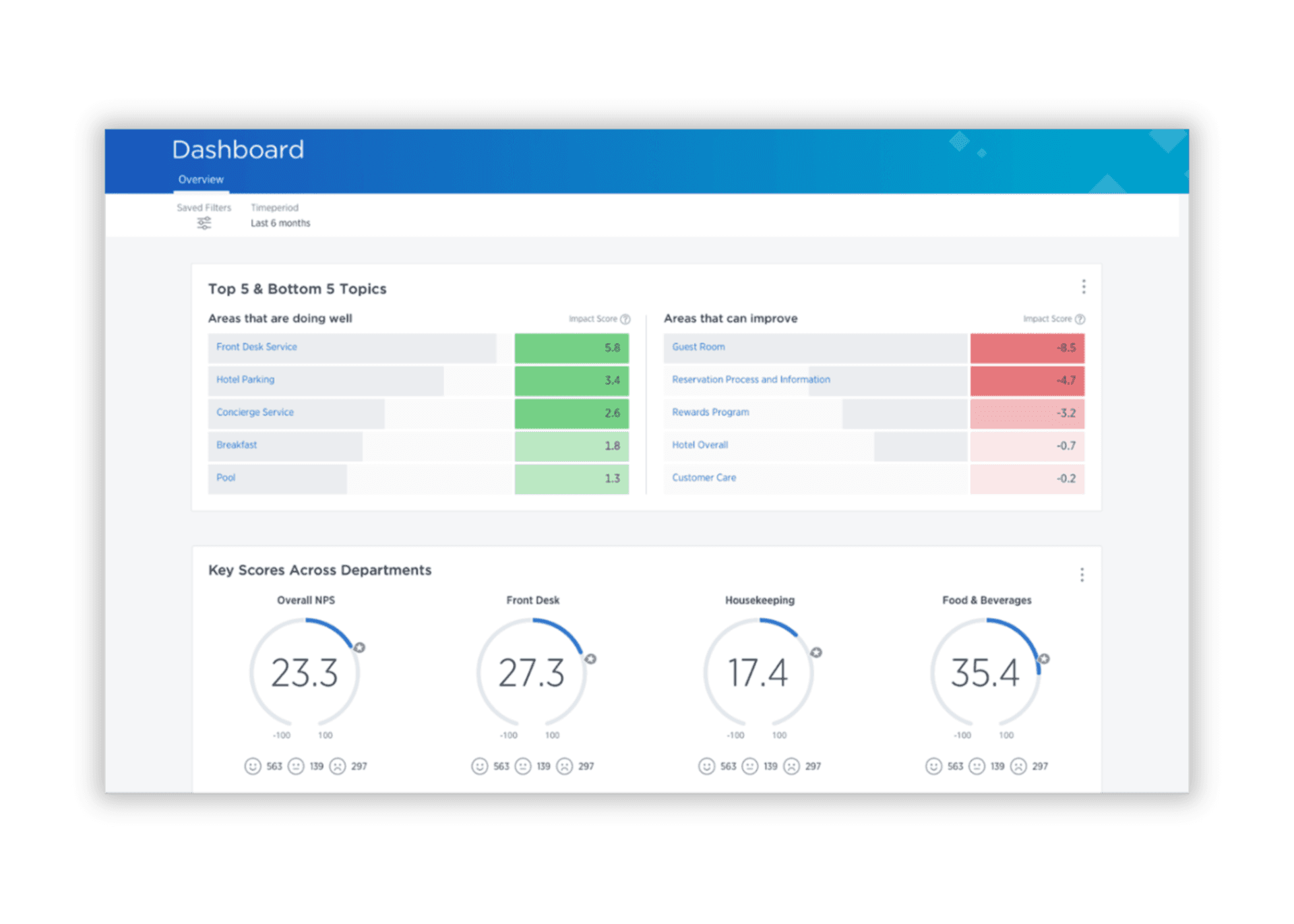
Chattermill is a customer feedback analytics platform that unifies feedback from multiple sources, including reviews, surveys, support tickets, and social media, into a single analysis view. It uses deep learning to perform sentiment analysis and theme extraction, with a particular strength in e-commerce and consumer brands.
The platform's approach to theme extraction is bottom-up: it uses ML to identify recurring topics from the data itself rather than requiring analysts to define a taxonomy upfront. Chattermill integrates with Zendesk, Intercom, and a range of CRM and support platforms, making it relatively straightforward to connect to existing workflows.
Key features:
Deep learning-powered sentiment analysis and theme extraction
Unified view across reviews, NPS surveys, support tickets, and social media data
Integrations with Zendesk, Intercom, Salesforce, and other support platforms
Trend analysis and actionable insights dashboards
Multi-language support
Best fit: Consumer-facing brands in e-commerce and retail looking to unify review, survey, and support feedback into a single analysis layer. Less suited to organizations whose primary data source is high-volume voice and call transcript data, or those needing enriched fields like estimated CSAT or churn risk signals out of the box.
5) Thematic: AI-Powered Feedback Themes for CX Teams
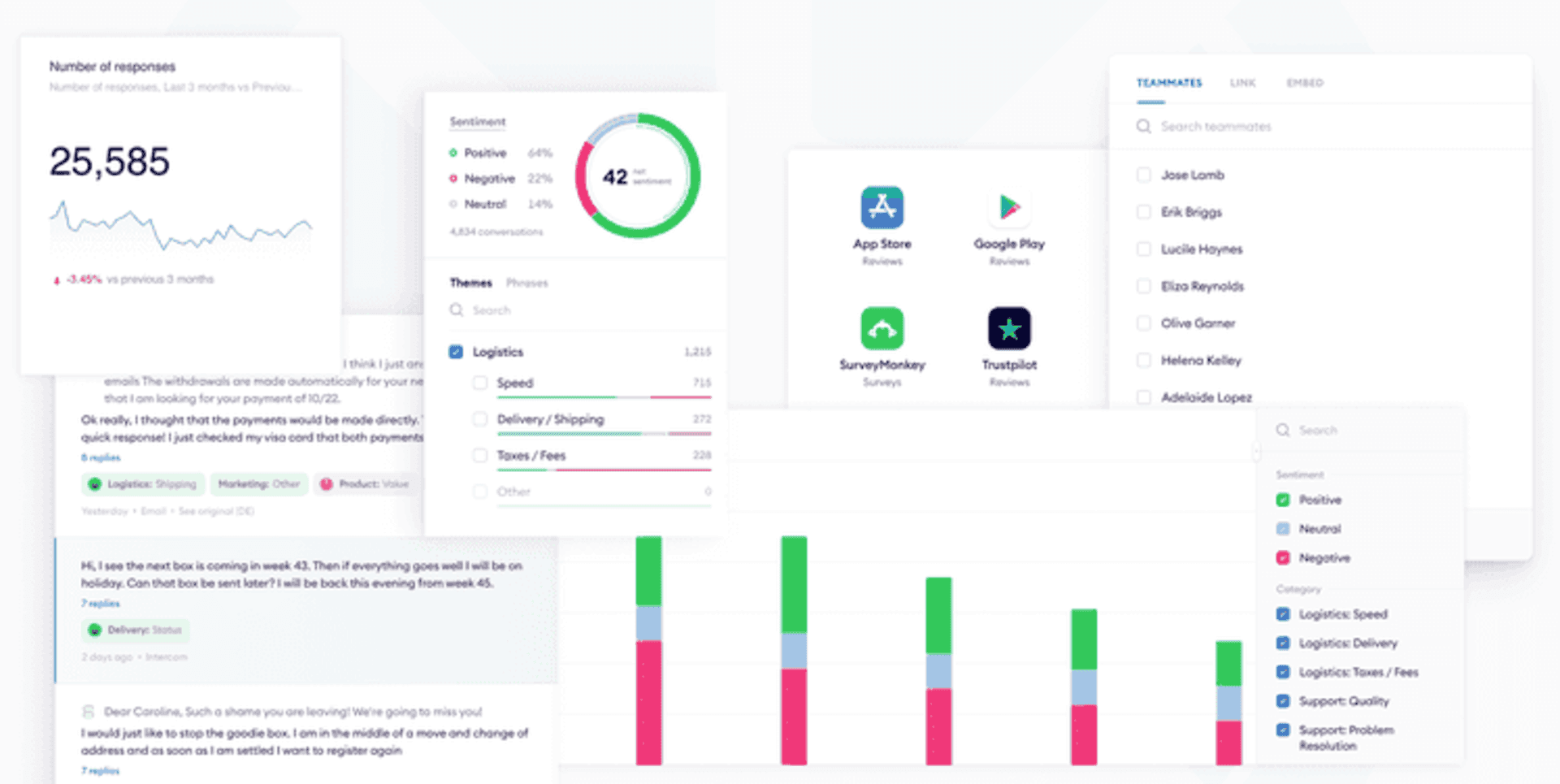
Thematic specializes in qualitative analysis of open-ended survey responses and customer feedback. Its AI-powered theme extraction automatically identifies recurring topics and sub-themes from large volumes of unstructured text, removing the need for manual coding. It is designed to be usable by non-technical CX professionals.
Thematic's key strength is the quality of its theme detection for survey-based feedback. It connects themes to NPS and CSAT scores, allowing teams to quantify which topics are driving satisfaction or dissatisfaction. The platform is survey-forward by design, which works well for teams whose primary analysis source is structured feedback programs.
Key features:
AI-powered theme extraction from open-ended survey responses
Theme-to-NPS and theme-to-CSAT correlation analysis
No manual coding or taxonomy setup required
Trend identification over time for recurring themes
Integration with SurveyMonkey, Qualtrics, Zendesk, and other platforms
Best fit: CX research teams whose primary text data source is open-ended survey responses and who want to connect qualitative themes to NPS or CSAT drivers. If you need to analyze call transcripts, chat logs, or support ticket data at volume, or if 100% conversation coverage is a requirement, Thematic's survey-forward model will leave significant gaps.
6) InMoment (formerly Lexalytics): NLP and Text Analytics for Enterprise
Lexalytics was one of the original pioneers in enterprise text analytics, founded in 2003 and built its deep NLP and machine learning infrastructure. In 2021, Lexalytics was acquired by InMoment and is now sold as part of the InMoment experience improvement platform, operating under the Lexalytics, an InMoment Company brand.
The Lexalytics NLP engine powers sentiment analysis, entity recognition, entity extraction, intention detection, and theme analysis across structured and unstructured data. It supports on-premise deployment for organizations with strict data residency requirements, which differentiates it from cloud-only alternatives. Teams evaluating this option should engage InMoment directly, as the Lexalytics technology is now embedded within the broader InMoment platform.
Key features:
Deep NLP capabilities, including sentiment analysis, entity recognition, and intention detection
Support for 24 languages natively
On-premise and cloud deployment options for data residency compliance
Integration with social media data, call center transcripts, reviews, and surveys
Machine learning models with vertical industry packs
Best fit: Enterprises with complex data residency requirements, or those already evaluating the full InMoment platform, who need mature and proven NLP infrastructure. Teams looking for a purpose-built CX analytics platform with out-of-the-box enrichment, estimated CSAT, or auto-theming without a full enterprise platform commitment will find Lexalytics requires more investment to get to that point.
7) Keatext: AI-Driven Text Analytics for Customer and Employee Experience
Keatext is a cloud-based text analytics platform that processes unstructured feedback from multiple channels, including support tickets, call center transcripts, emails, survey responses, and chat logs. It synthesizes feedback from multiple channels into a single dashboard view, with AI-powered recommendations surfaced alongside the analysis.
Keatext is designed for teams without deep technical expertise, offering a user-friendly interface that does not require advanced setup or data science skills to get started. It integrates with Zendesk and Salesforce, and its AI-driven recommendation layer suggests areas of improvement with the most likely impact on customer satisfaction. In December 2024, Keatext announced a strategic partnership with QuestionPro to expand its conversational analytics capabilities.
Key features:
AI-powered sentiment analysis and theme extraction from multiple feedback channels
AI-driven recommendations for actions with the highest satisfaction impact
Integration with Zendesk, Salesforce, and SurveyMonkey
Multi-channel aggregation across tickets, chat logs, emails, and surveys
No advanced technical setup required
Best fit: Mid-market CX and support teams looking for a straightforward, no-code text analytics platform that surfaces AI-powered recommendations alongside the analysis. Less suited to organizations that need 100% conversation coverage across high call volumes, enriched predictive fields, or direct connections between conversation data and revenue or churn metrics.
8) spaCy and NLTK: Open-Source NLP Libraries for Developers
spaCy and NLTK (Natural Language Toolkit) are the two most widely used open-source NLP libraries available. They are not out-of-the-box analytics platforms. They are programming libraries: they give developers and data scientists the building blocks to build custom text analysis pipelines.
spaCy is optimized for production use and is faster and more modern. NLTK is more suited to research, prototyping, and learning NLP fundamentals. Both require significant technical expertise to deploy effectively. For organizations that need highly customized text mining capabilities and have the bandwidth to set up, build and maintain the infrastructure, these libraries offer unmatched flexibility. For CX and Support teams without that technical capacity, a purpose-built platform will deliver value far faster.
Key features:
Full NLP pipeline including tokenization, named entity recognition, entity extraction, and part-of-speech tagging
Topic modeling and text classification capabilities
Open-source with active developer communities
Extensive integration with machine learning algorithms and machine learning models
Support for multiple human languages and framework and social media
Best fit: Data scientists and engineering teams building custom text analytics pipelines who need complete control over the underlying NLP infrastructure. Not a viable option for CX or Support leaders who need to get insight without writing code. Expect months of build time before any business-facing output exists.
9) Clarabridge (now Qualtrics XM Discover): Omni-Channel Text Analytics
Clarabridge was acquired by Qualtrics in 2021 and now operates as Qualtrics XM Discover. It was built specifically for contact center and omni-channel CX analysis, with particular strength in high-volume environments like call centers and digital channels at scale social media.
XM Discover's NLP capabilities include sentiment analysis, effort scoring, emotion detection, and root cause analysis. Its conversational analytics capabilities are strong for organizations running high call volumes. Insights can be routed to the teams that can actually take action, rather than requiring a separate reporting cycle to get the right data to the right people. Buyers should factor in that this is a Qualtrics platform purchase, not a standalone product.
Key features:
Omni-channel conversational analytics across calls, chat, email, and social media data
Emotion detection and effort scoring alongside standard sentiment analysis
Root cause analysis linking themes to business metrics
Integration with the Qualtrics XM platform
Natural language processing NLP built for high-volume contact center environments
Best fit: Enterprises already in the Qualtrics ecosystem that need strong contact center and omni-channel text analytics capabilities. If you are not already a Qualtrics customer, the platform commitment required to access XM Discover's text analytics is a significant factor to weigh against purpose-built standalone alternatives.
10) WordStat – Research-Focused Text Analysis
Google Cloud Natural Language API is an enterprise-grade NLP service for developers who need to embed text analysis capabilities into custom applications. It performs sentiment analysis, entity recognition, content classification, and syntax analysis via API calls, making it a building block for custom text analytics software rather than a ready-to-use analytics platform.
It handles text data at scale, supports multiple languages, and leverages Google's deep learning infrastructure. Like spaCy and NLTK, this tool requires technical expertise to deploy. It is well-suited for engineering teams building custom internal tools or embedding NLP into existing software products. For CX teams who need to see trends in customer feedback without writing code, a purpose-built analytics platform will serve them better.
Key features:
REST API for sentiment analysis, entity recognition, and content classification
Syntax analysis and deep learning-powered language understanding
Scalable infrastructure for processing large volumes of text data
Support for multiple languages and character sets
Integration with Google Cloud data pipelines and storage
Best fit: Developer teams embedding NLP into custom-built applications or internal tooling who need scalable, API-accessible text analytics infrastructure. Like spaCy and NLTK, this is a building block, not a finished product. CX and Support leaders evaluating this option should expect substantial engineering investment before it delivers any business-facing insight.
11) Luminoso: Contextual Text Analytics for Research and CX
Luminoso is an AI-powered text analytics platform that specializes in understanding the meaning behind words in context, rather than relying purely on keyword frequency or predefined categories. It uses a technology derived from computational linguistics research at MIT, training on large-scale language data to understand how concepts relate to each other.
Luminoso is particularly well suited to market research, qualitative data analysis, and VoC programs where understanding nuanced customer language matters. It handles multiple languages natively and produces visual outputs including concept maps and word clouds that help teams communicate findings to stakeholders. It is a strong fit for research-oriented CX and insights teams.
Key features:
Contextual NLP that understands meaning and concept relationships, not just keyword matching
Multi-language analysis without separate language model configuration
Visualization tools including concept maps and relationship diagrams
Qualitative data analysis for open-ended survey responses and reviews
Access to integration with existing text analytics platforms
Best fit: CX insights and market research teams who need nuanced, contextual analysis of customer language across multiple languages and want visualization tools for stakeholder communication. Less suited to operational CX and Support leaders who need real-time coverage of 100% of customer conversations and enriched fields that connect directly to business metrics like churn and CSAT.